
The recommended way to back up or migrate your SOLIDWORKS Electrical environment is by using an Environment Archive. This archive can include all library items and active projects. The overall archive size will depend on the amount of data in your environment and whether you are using SOLIDWORKS Electrical 3D, which can significantly increase the file size.
- The Archive Environment command is run from a client computer. (Follow the steps below to archive the SOLIDWORKS Electrical environment)
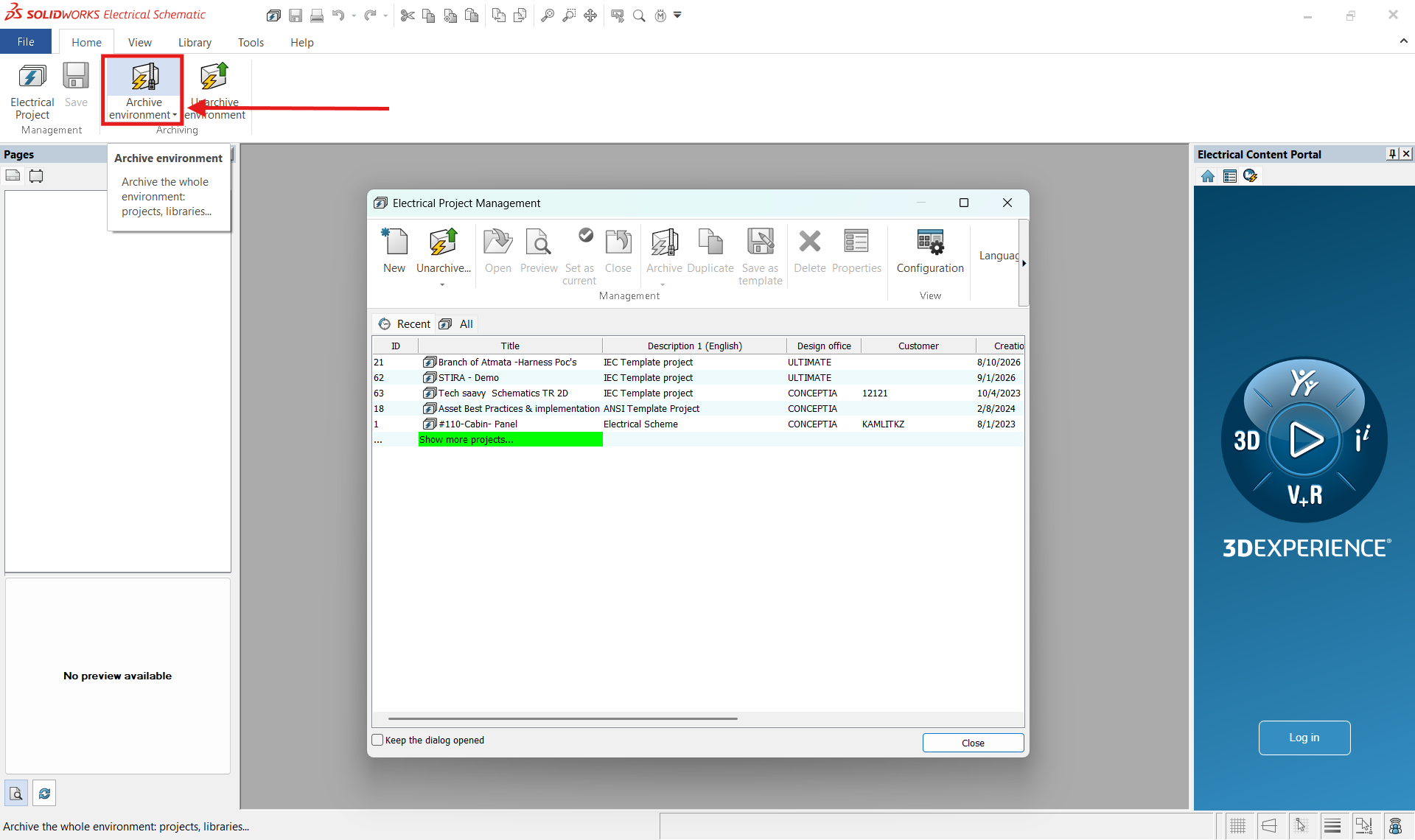
2. Launch SOLIDWORKS Electrical Schematic on a client computer.
3. From the File tab on the Command Ribbon (Command Manager), select Archive Environment.
4. The Archive Environment Wizard will Launch:
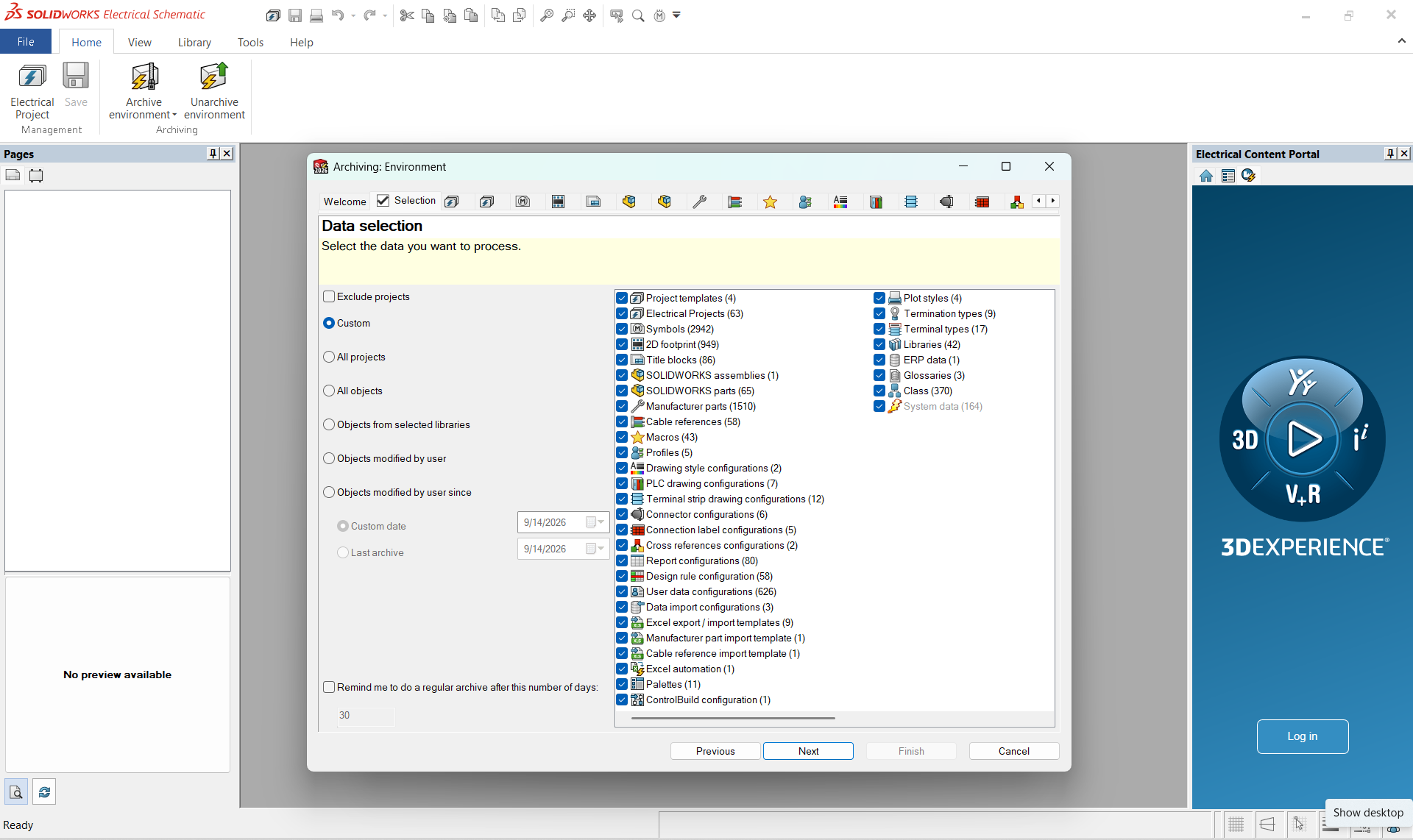
5. If you are archiving the Environment for a Server Move, I would select all objects. Otherwise, you can select an appropriate option
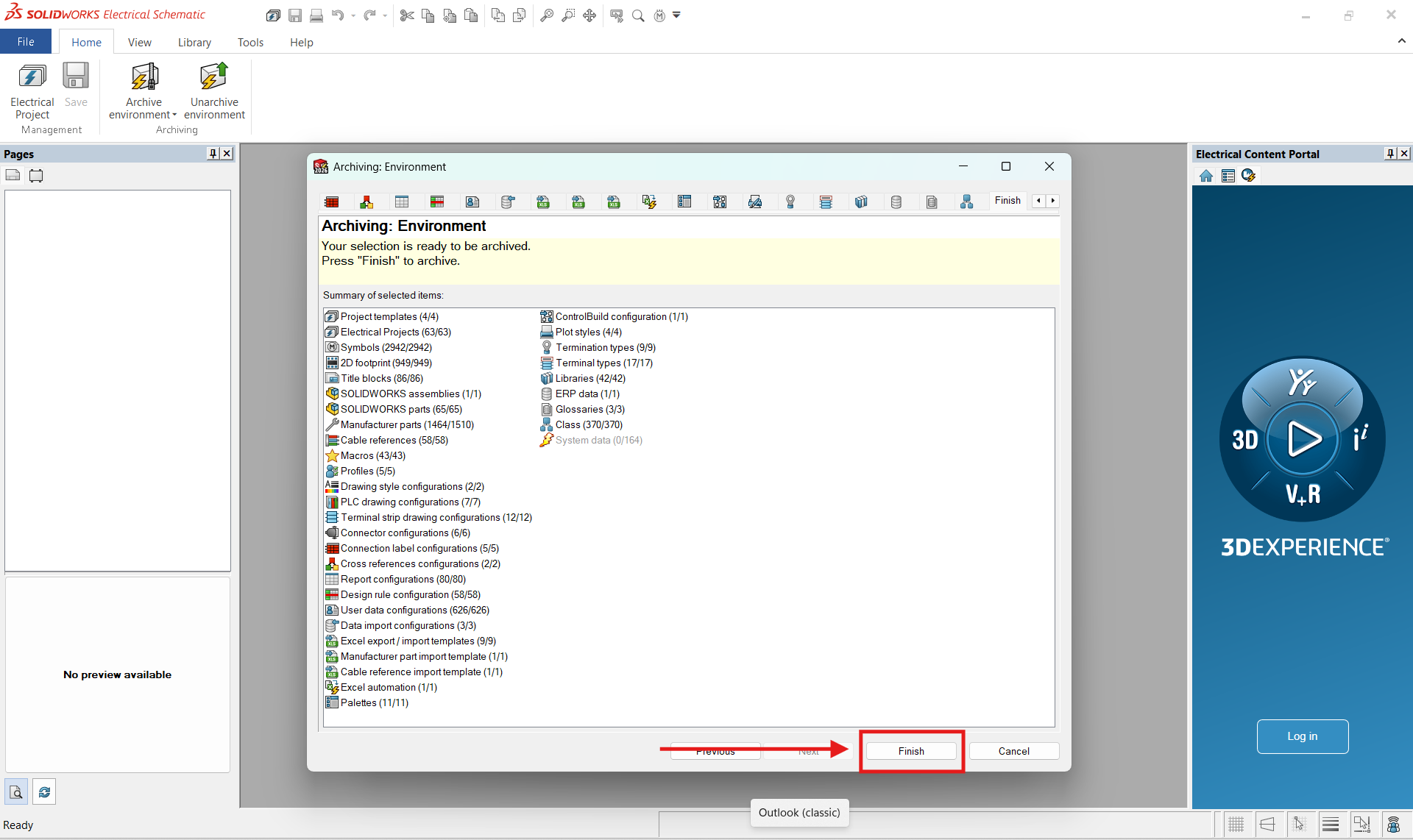
6. After making your Selection Click on the Next Button. You will see a Summary of all the items to be archived
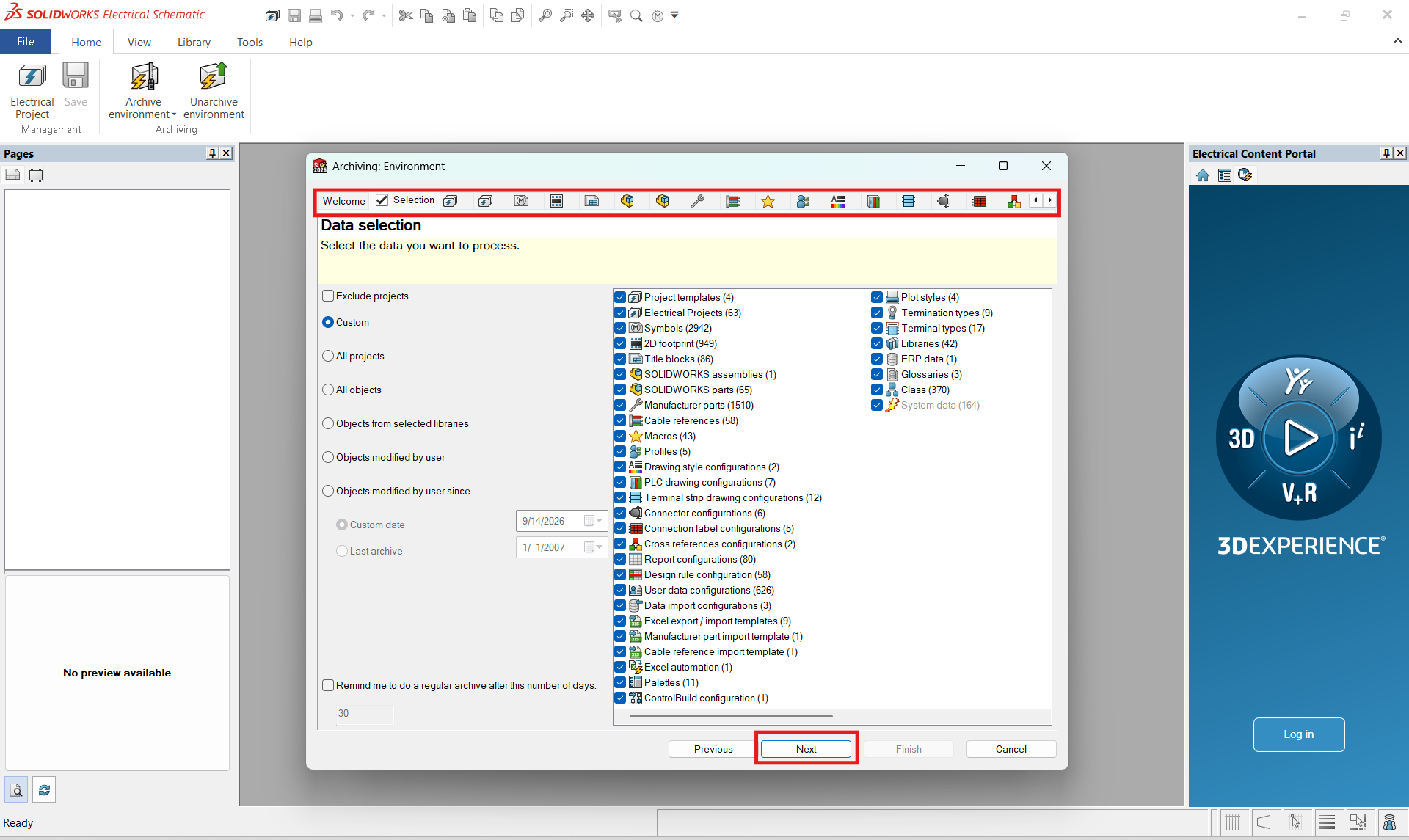 7. Click Finish to begin the archive process (This may take some time to see any activity, the system is gathering data)
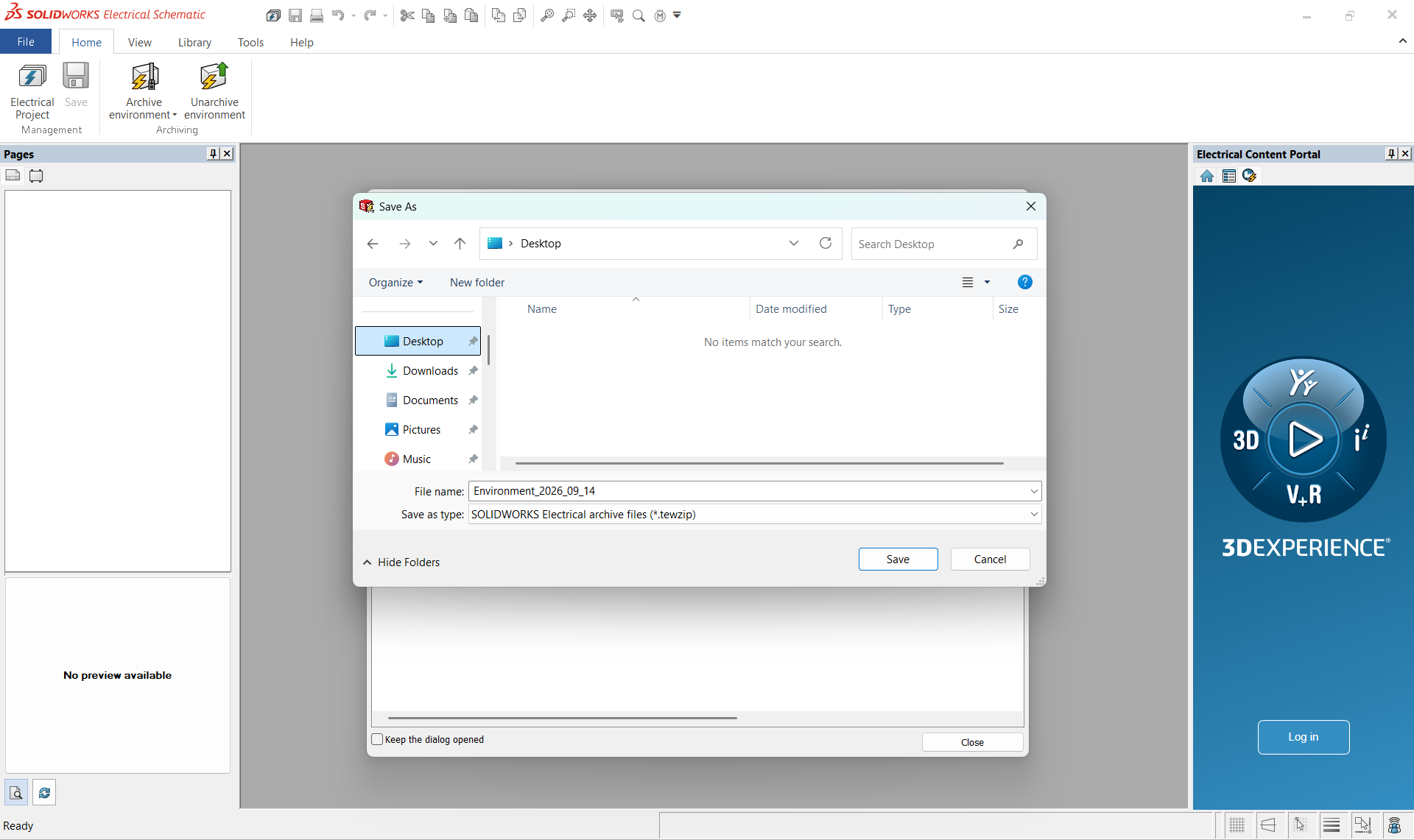
8. Next, you will be prompted for the location and File name to save the Archive as. (by default the archive is named Enviroment_Date.tewzip save this file to a location that you can access later.
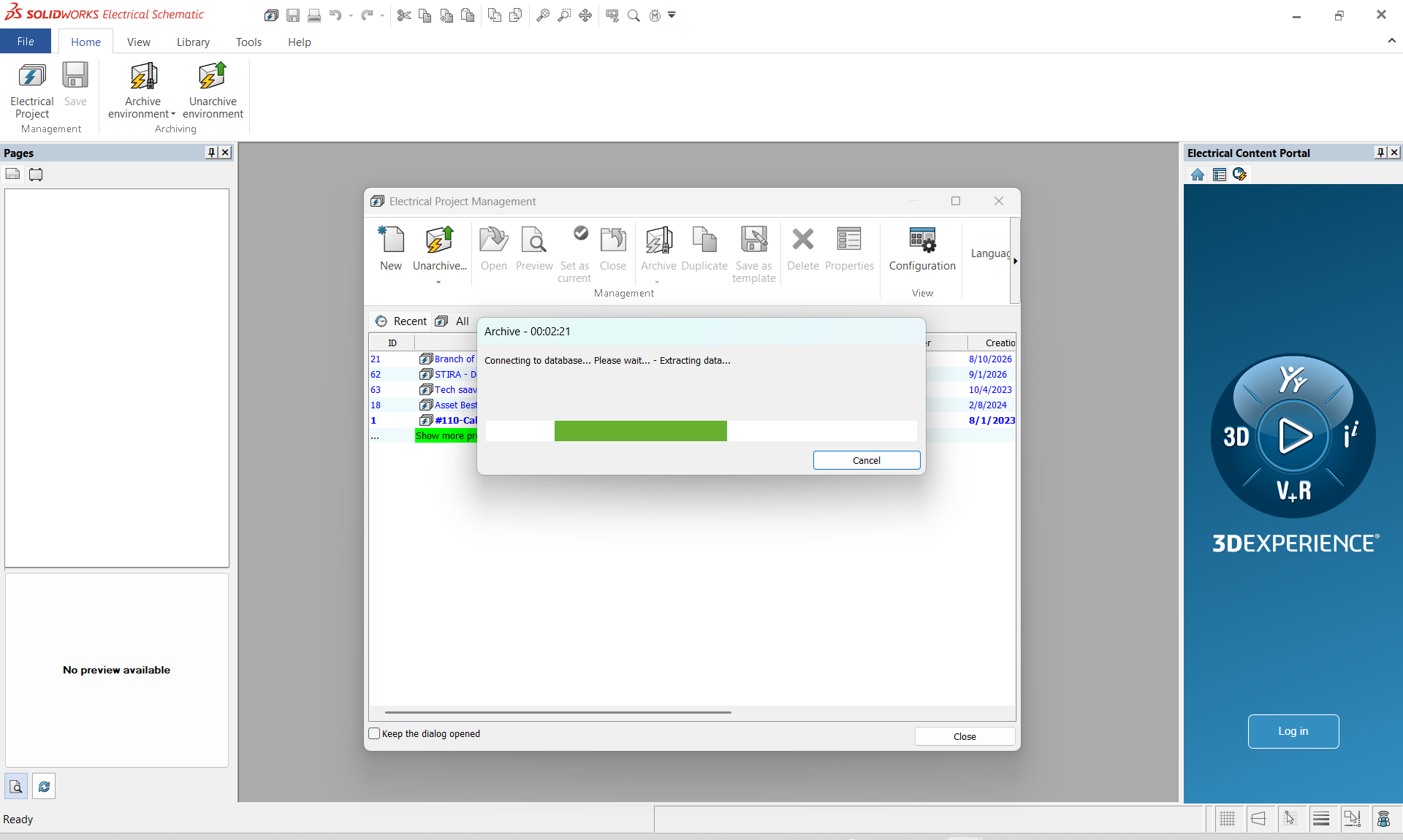
9. After clicking save the application will now archive the environment (depending on the size of your environment, total number of projects, manufactures Parts library and the other various libraries. The Environment archiving process may take a long period of time to complete.)
10. You will see several windows pop up with progress bars
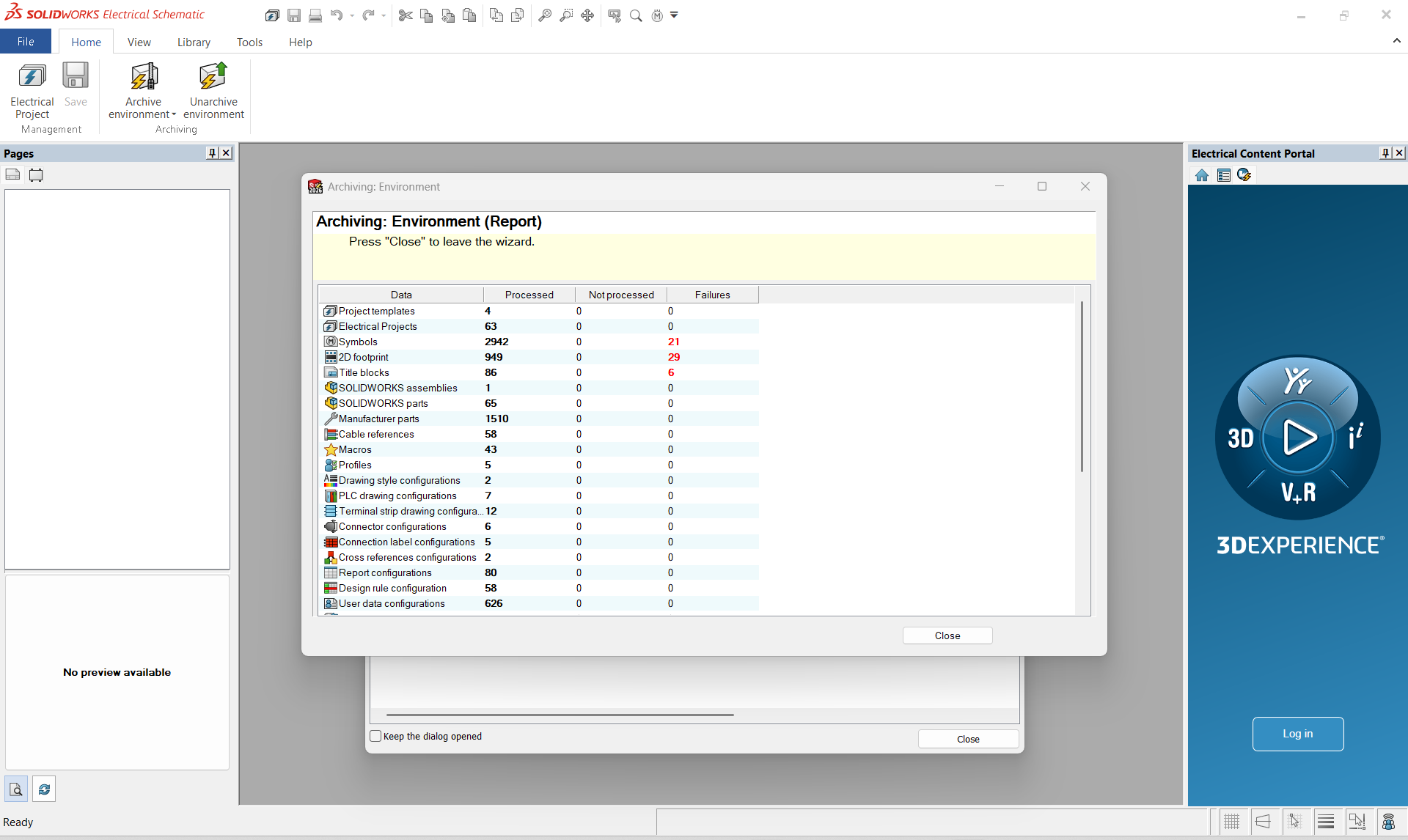
11. After the Archive Environment is Complete you will see a completed window with a report of what was archived
Wrapping Up
That’s the complete workflow for archiving an environment in SOLIDWORKS Electrical, from preparing your environment and selecting the required data to creating a complete archive that can be safely stored or transferred.
By keeping a properly archived environment, you can preserve your SOLIDWORKS Electrical settings, libraries, configurations, and other essential data, making it easier to restore and reuse the environment whenever needed.
Contributor: Naveen Kumar Ravi | Elite Application Engineer
Preserve today. Restore tomorrow. Design with confidence
