
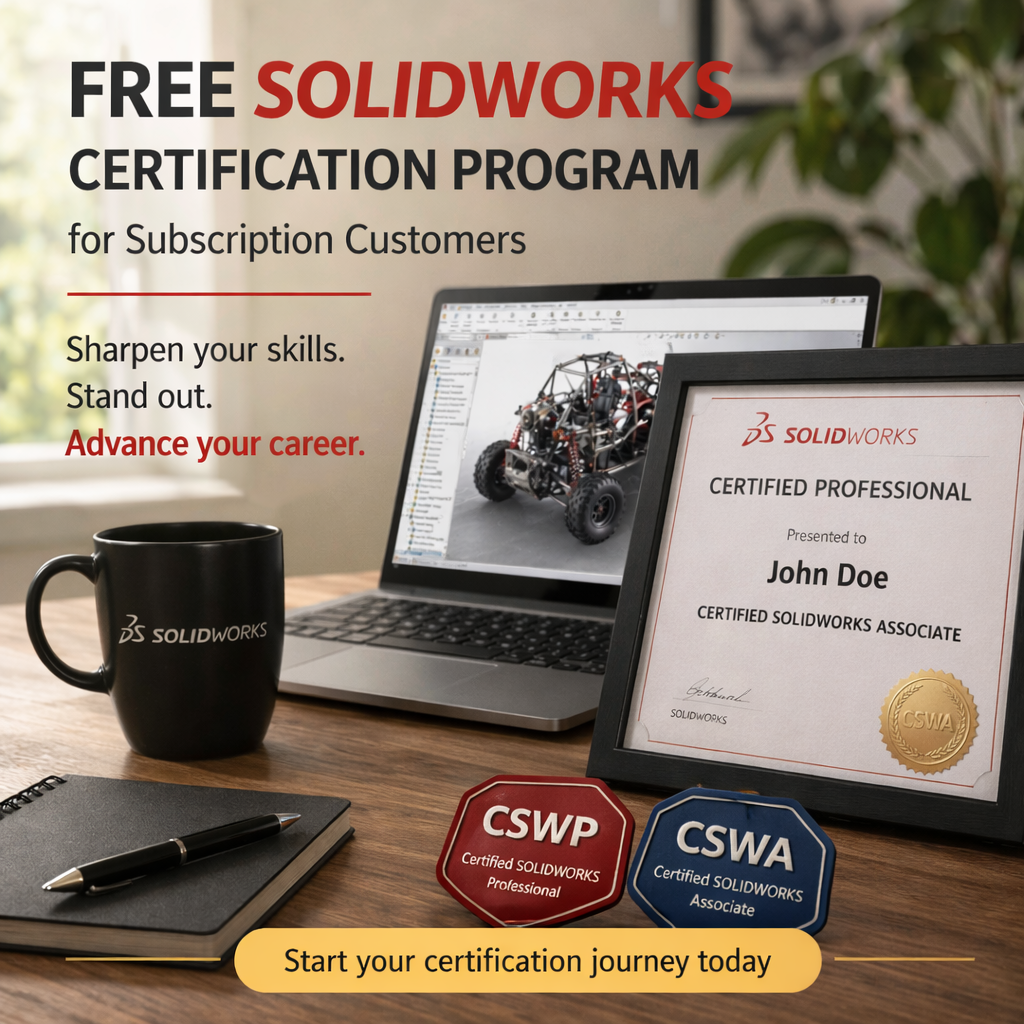
Why SOLIDWORKS Certification?
SOLIDWORKS Certification is a symbol of ones knowledge, skill, and competency with SOLIDWORKS.
- Looks good on the resume — Having a SOLIDWORKS certification on your resume is a booster because it represents your knowledge and competency using the software to somebody who hasn’t seen your work.
- Looks good on the company’s resume — There is a boost of confidence in your company knowing that you employees are capable, especially if your business is service based, having a certified staff inspires more confidence from customers and makes your company more competitive.
- Test your skills — Benchmark your abilities with SOLIDWORKS. The certification exams are a perfect measure of your skills and proof that you can use the software competently.
Who is Eligible?
- Customers with licenses on active subscription service are able to request free exam vouchers.
- The redemption process can be completed twice in a calendar year.
- There are 2 semesters when vouchers can be requested, the first being January 1 through June 30, and then again in July 1 through December 31.
- Vouchers can be requested at any time during each semester and will be valid for 180 days from the date they were obtained.
- The vouchers are obtained with a 3DEXPERIENCE ID however the voucher codes are not tied to a specific user so they can be shared with others.
Get Started
Exam vouchers can be obtained from the 3DEXPERIENCE Certification Center at any time. There are three requirements before proceeding with redeeming the free vouchers.
1.Create a free 3DEXPERIENCE Certification Account.
2.Create a free 3DEXPERIENCE ID.
3.Have your 3DEXPERIENCE ID linked to your company account with active subscription (contact your administrator to assign you a role in DSx Client Care portal)
Get Your Free SOLIDWORKS Certification Exam Codes
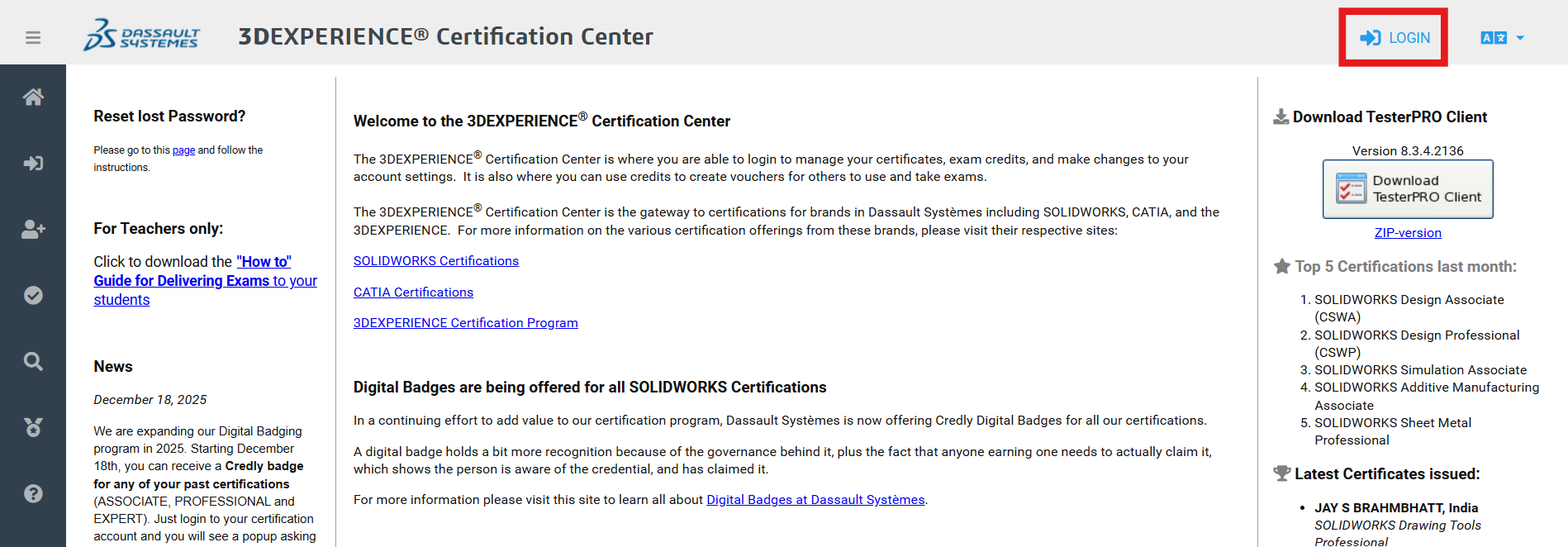
1.Browse to the 3DEXPERIENCE Certification Center
2.Click the Login button on the top right corner
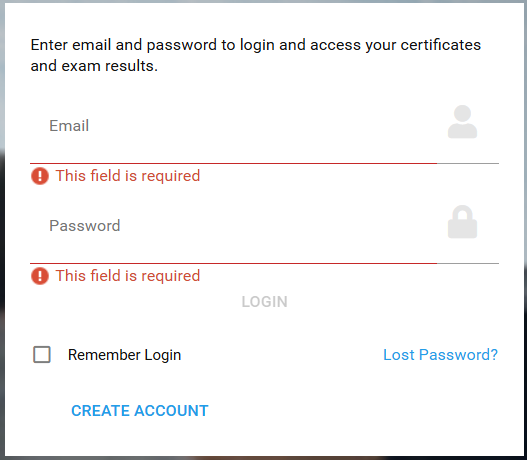
3.Enter your 3DEXPERIENCE Certification Account credentials. If you don’t already have an account, click ‘Create Account’. This is a different account than your 3DEXPERIENCE ID.
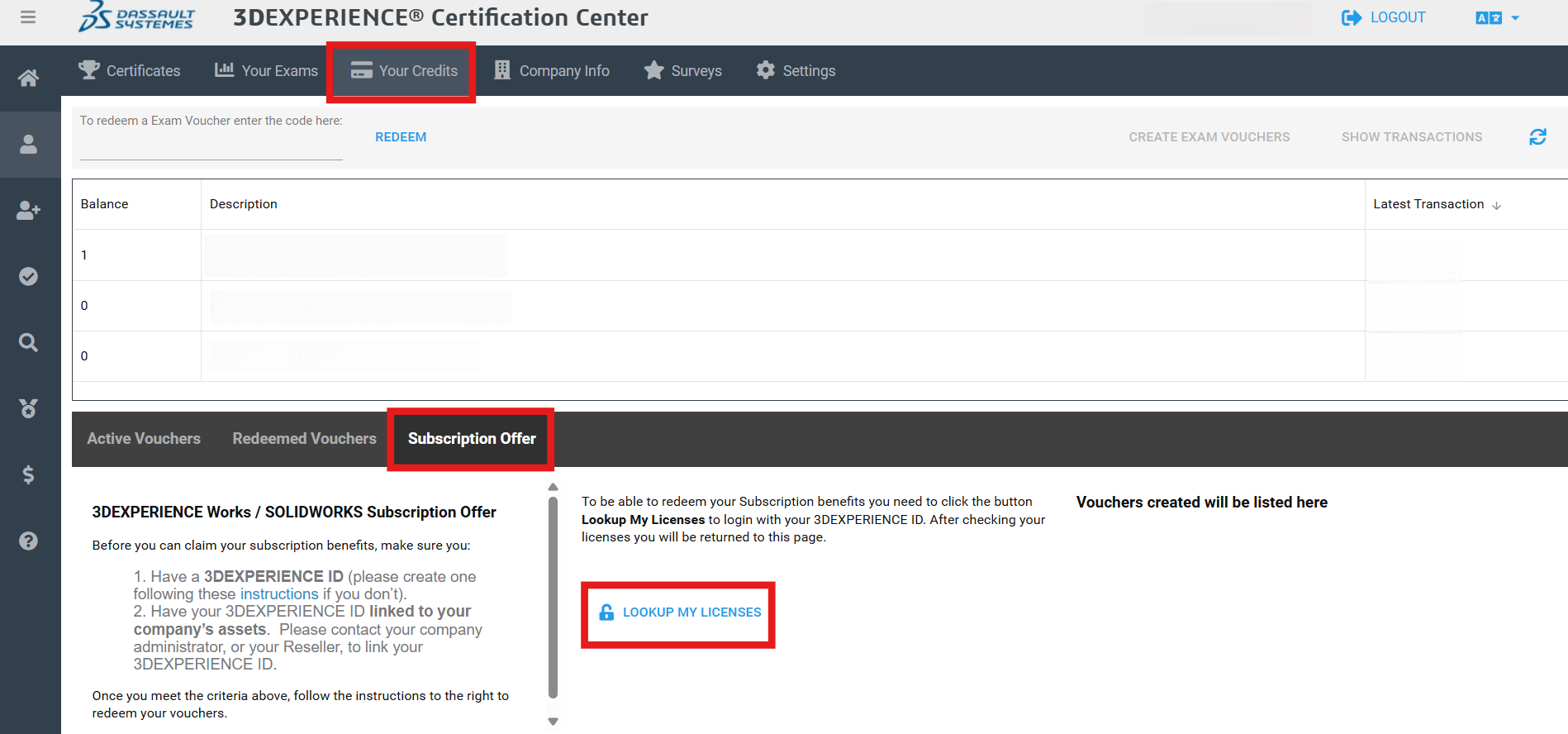
4.Once logged in, click on Your Credits tab > Subscription Offer tab > Lookup My Licenses
5.Authenticate with your 3DEXPERIENCE ID when prompted. This is different than your 3DEXPERIENCE Certification Account. You will then be redirected back to the Certification Center
6.Click OK on the confirmation message and choose which exam(s) to redeem and click ‘Create Exam Vouchers’.
Getting Ready for the Exam
On the 3DEXPERIENCE Certification Center home page, follow the steps on how to take an exam. It will require downloading a TesterPRO Client application which is used to write the exam.
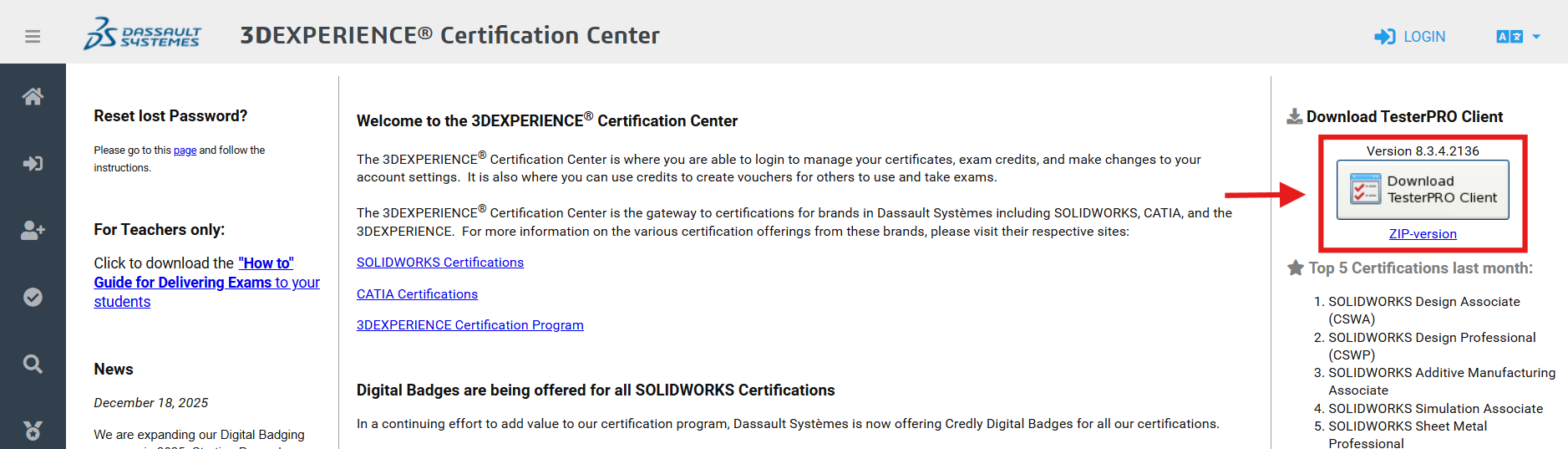
You will log in with your 3DEXPERIENCE Certification Account to see the list of available exams. Select the SOLIDWORKS brand for exams and enter your Voucher code. Available exams with unlocked with your voucher will show a ‘Start Exam’ button.
Sample Exams
Sample exams are available for several topics in the SOLIDWORKS Certification Catalog in PDF form. For example there is a link for ‘Sample CSWP Exam’ when you select CSWP – Mechanical Design.
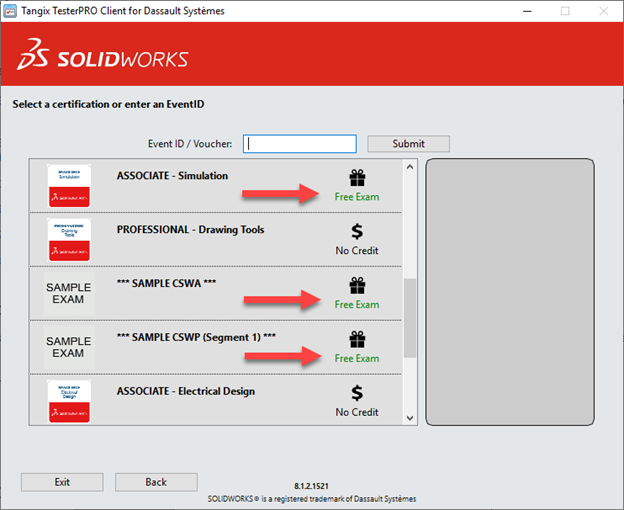
You can also use the TesterPRO application to write some sample exams. When you log into the TesterPRO Client, select the Free Exam options.
GOOD LUCK.
