

SOLIDWORKS 2026 brings enhancements across the entire SOLIDWORKS Portfolio, with new features that are sure to help electrical designers to streamline workflows, reduce errors, and offer greater control over design features.
These updates to SOLIDWORKS Electrical also strengthen collaboration between mechanical and electrical teams—making it easier to align across disciplines.
Routing Selected Wires Separately
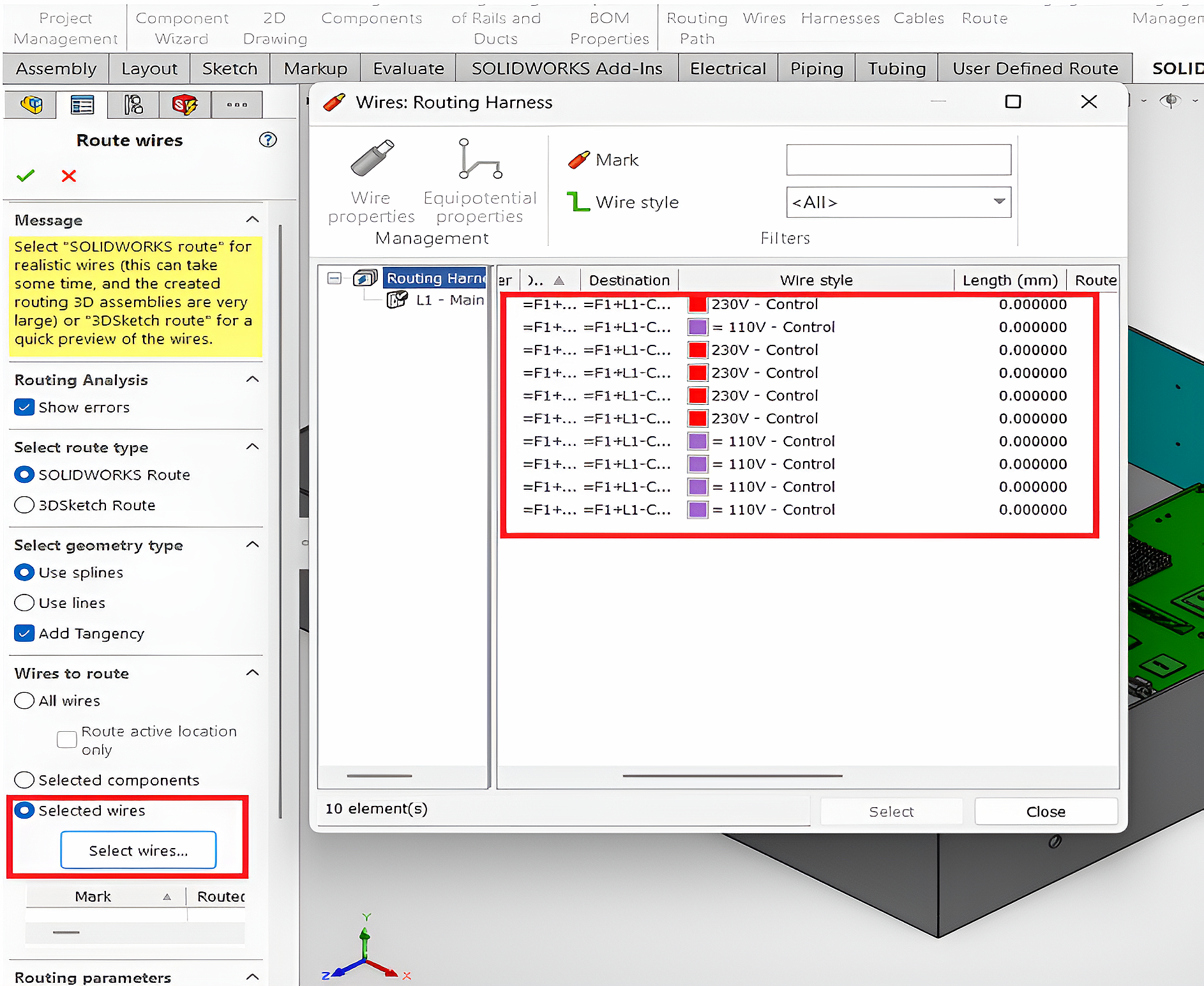
Take greater control over your wire-routing process with the new Selected Wires option in the Route Wires Property Manager.
Previously, you could route wires for all components at once or select specific components and route their associated wires. With this enhancement, you can now select a specific wire or a group of wires and route them independently, giving you more flexibility and control over your design.
Benefits:
- Targeted Routing: Route only the wires you need without affecting other wires in the design.
- Improved Control: Manage wire paths based on specific design requirements
Hiding System Classes
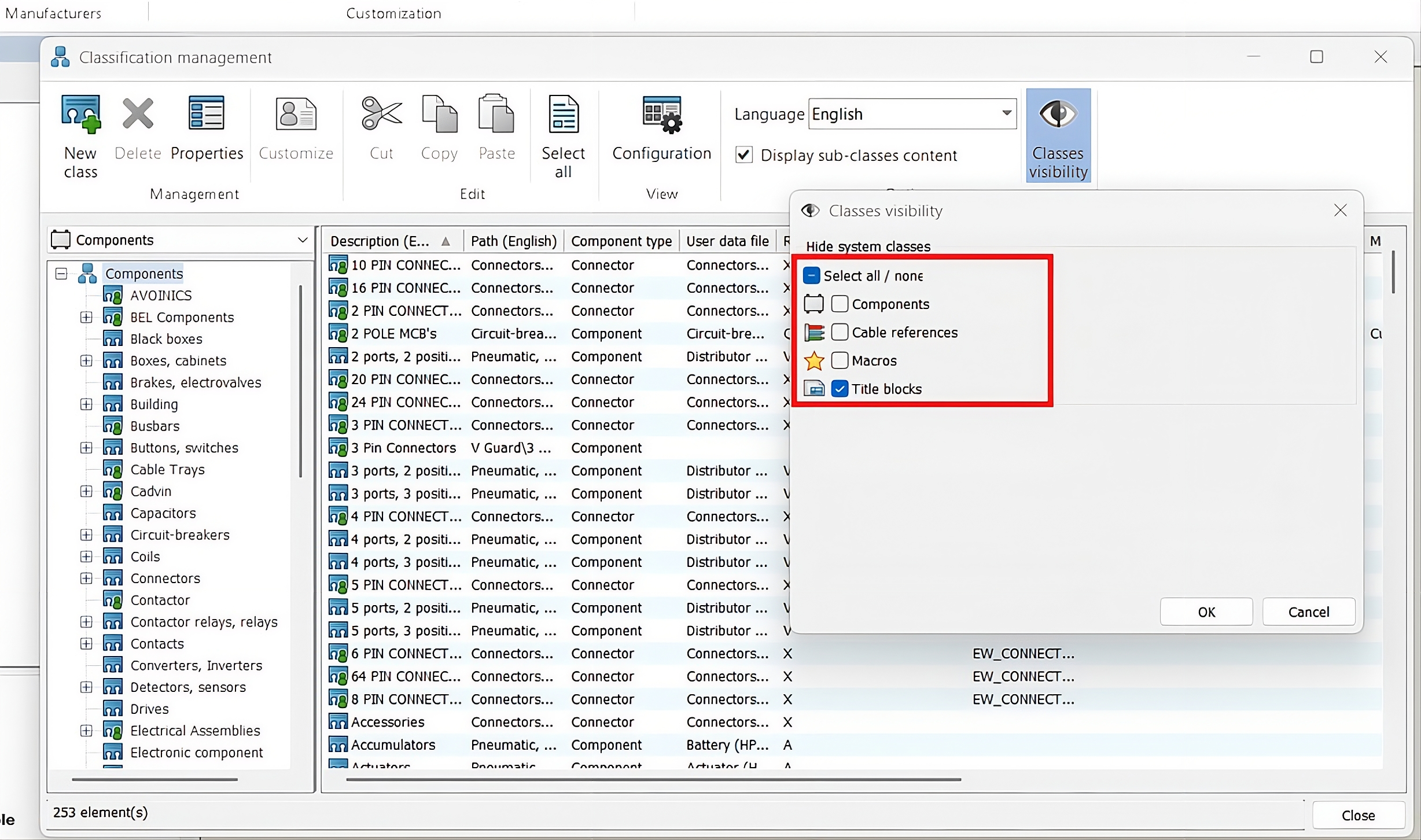
Simplify the Classification design tree by hiding default system classes you don’t need during everyday design work.
Hidden system classes remain available in the Classification Management dialog box, while being removed from library and selection interfaces. Custom subclasses under hidden system classes remain visible, preserving the classification hierarchy and ensuring easy access to your customized content.
Benefit: A cleaner, more focused design environment makes it easier to locate relevant components and symbols, helping you work faster and improve overall design efficiency
TraceParts Publisher in the Electrical Content Portal
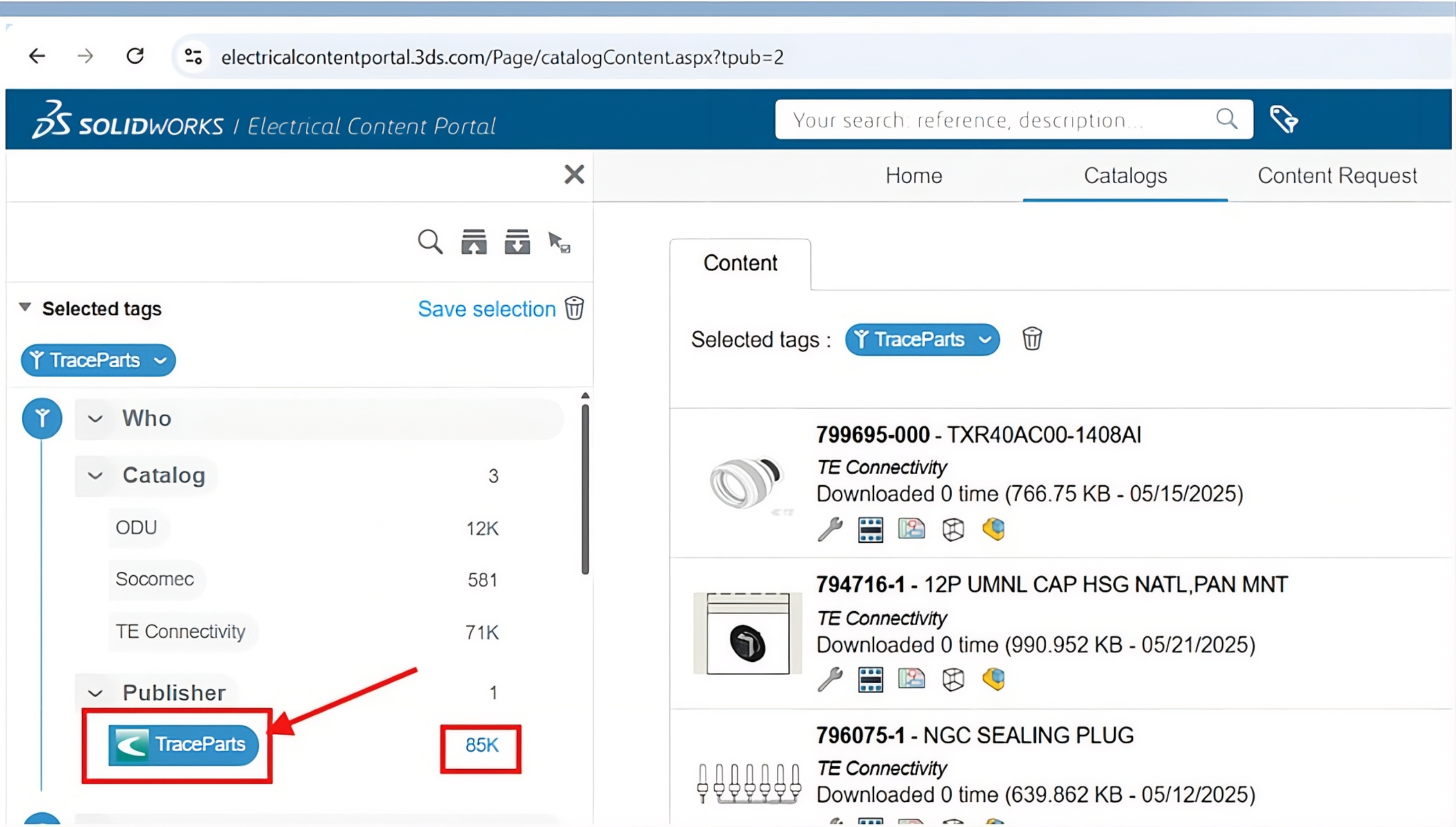
The Electrical Content Portal (ECP) now features TraceParts as a new Publisher in the 6WTAGs filter, providing access to a growing collection of high-quality electrical component data.
Through its collaboration with TE Connectivity, a global leader in connectivity and sensor solutions, TraceParts now brings nearly 85,000 fully detailed electrical parts to ECP.
The available content covers a wide range of product classes, including Connectors, Terminal Strips, and Contactors, helping you quickly find the components you need for your electrical designs.
Use the 6WTAGs filter, select TraceParts as the Publisher, and explore the latest electrical content now available in ECP.
Update Dynamic Connector after Insertion
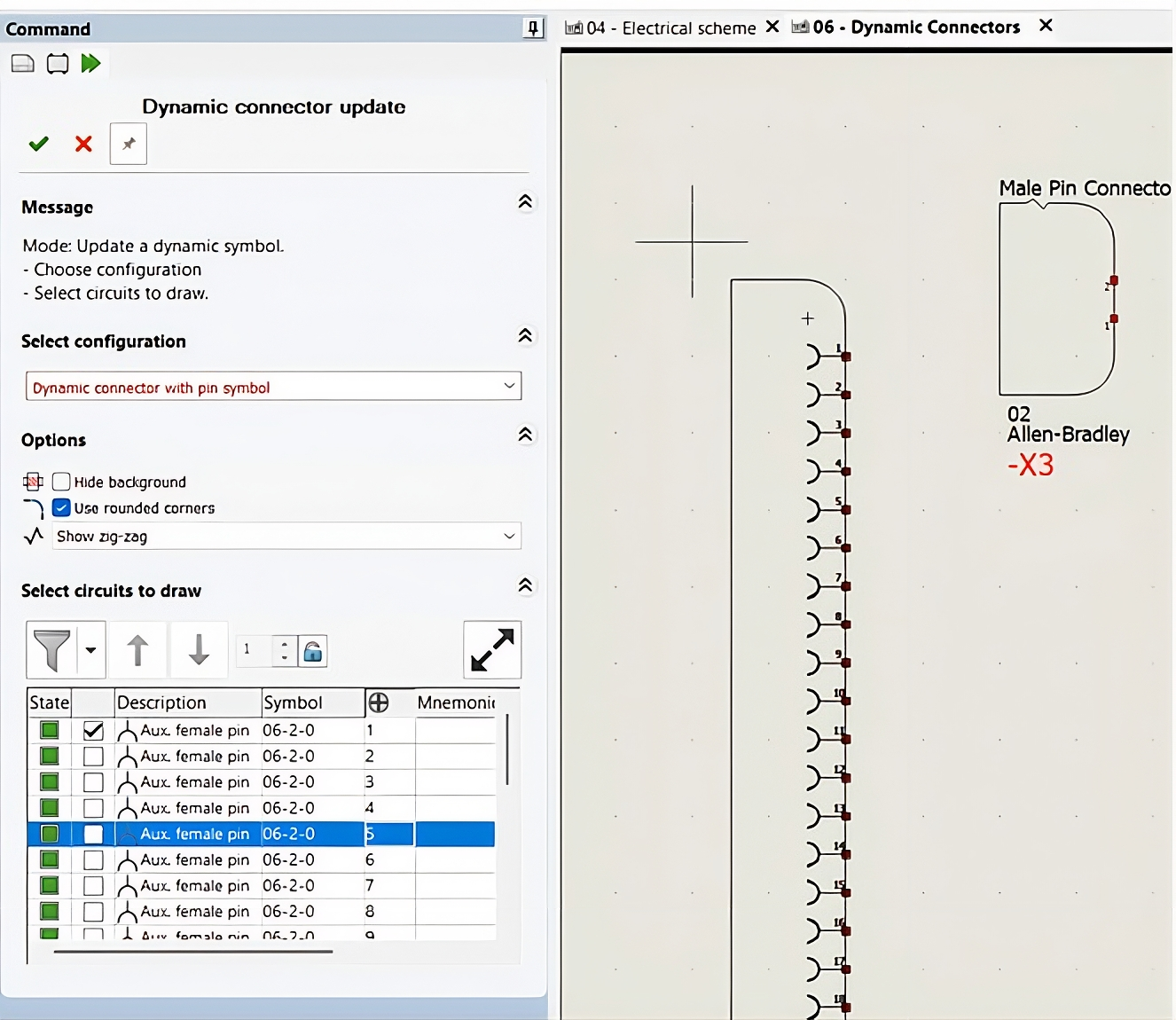
The new Update Connector command lets you modify an existing connector directly in the schematic without deleting and reinserting it.
Using the Dynamic Connector Update tab, you can add, remove, or rearrange circuits, change connector options, and adjust its visual configuration while maintaining the existing symbol.
You can also use options such as Hide Background, Rounded Corners, and Zig-Zag to customize the connector’s appearance. The Select Circuits to Draw section lets you filter, reorder, and modify circuits with an instant visual preview.
Benefit: Save time, reduce errors, maintain cleaner schematics, and update connectors with greater flexibility.
Rename Document Dialog Box
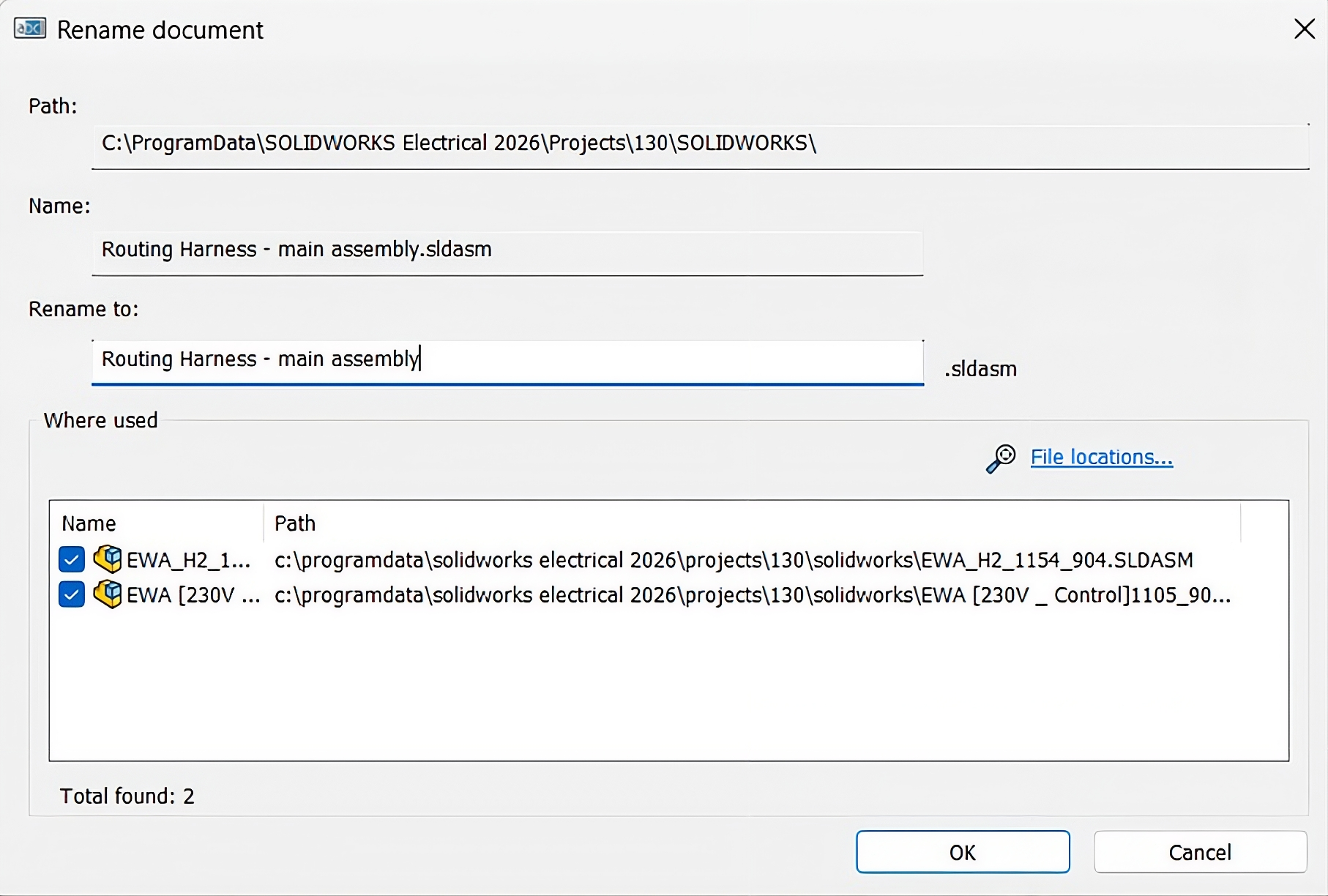
The Rename Document dialog box makes it easier to rename SOLIDWORKS assemblies while preserving the associations between mechanical parts and their corresponding electrical components.
Previously, renaming a file could update the file name without updating its references in the top-level assembly, potentially causing associations to be lost.
Now, the dialog box displays the files whose references will be updated automatically, helping maintain component associations throughout the assembly.
Benefit: Rename documents confidently while preserving references, reducing broken associations, preventing errors, and saving time that would otherwise be spent repairing file references manually
Contributor: Naveen Kumar Ravi, Elite Application Engineer specializing in SOLIDWORKS, with 10 years of experience helping engineering teams maximize SOLIDWORKS Electrical through technical expertise and innovation.
