Following the installation of a SOLIDWORKS product with a standalone license (serial number starting with 9000), license activation is required before the software can be launched and used.
Note: An internet connection is required for this transaction.
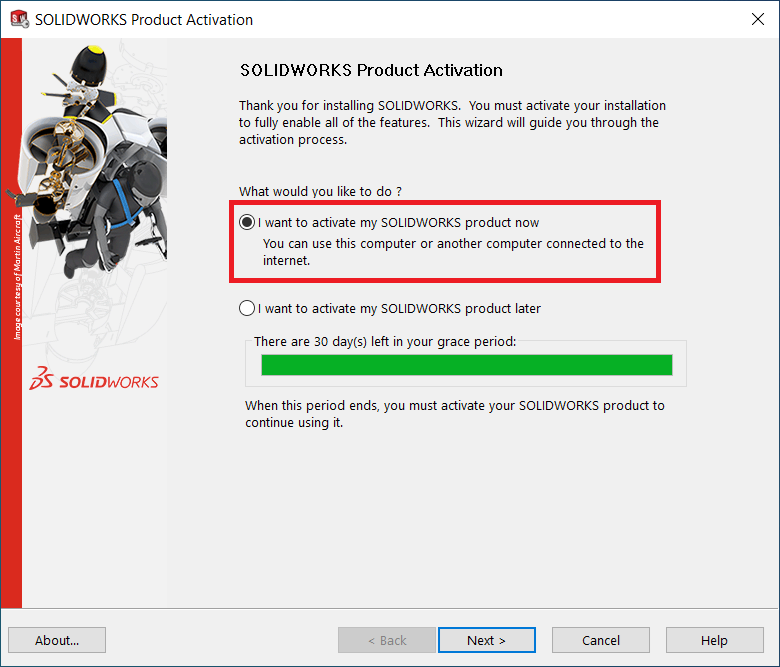
1. Launch SOLIDWORKS 20xx, chose the option “I want to activate my SOLIDWORKS product now” and click “Next >”
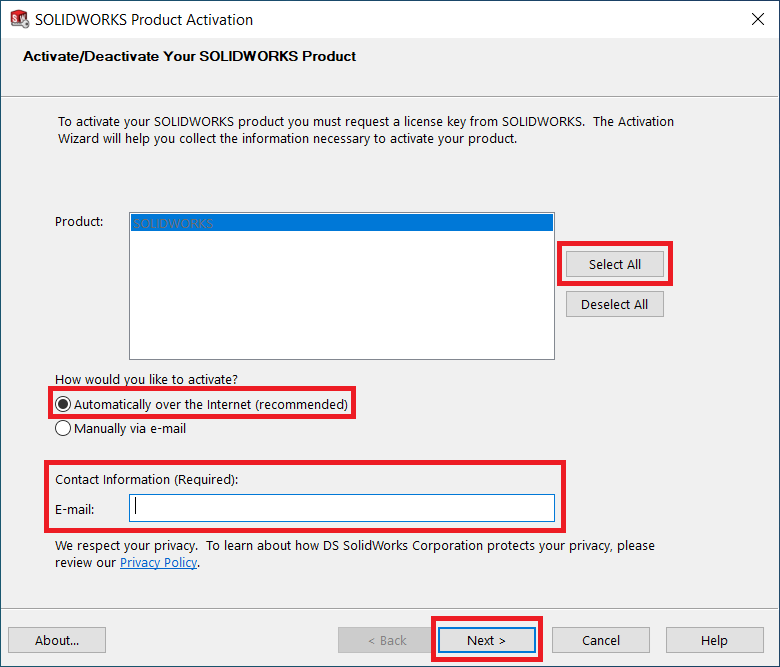
2. Select the products you would like to activate. Make sure the option “Automatically over the Internet (recommended)” is chosen. Then click “Next >”.
Note: Do not forget to fill in your email ID.
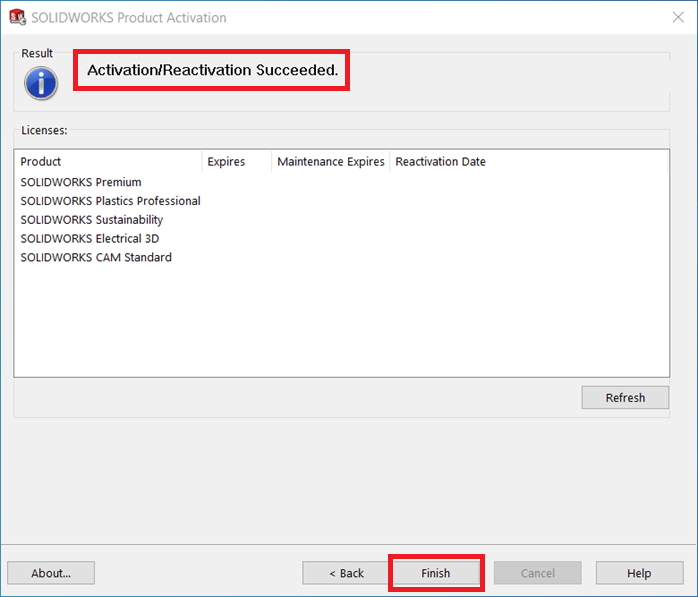
Once complete, a confirmation screen will appear. Clicking ‘Finish’ will close the activation wizard.
Your SOLIDWORKS product is now ready to use.