
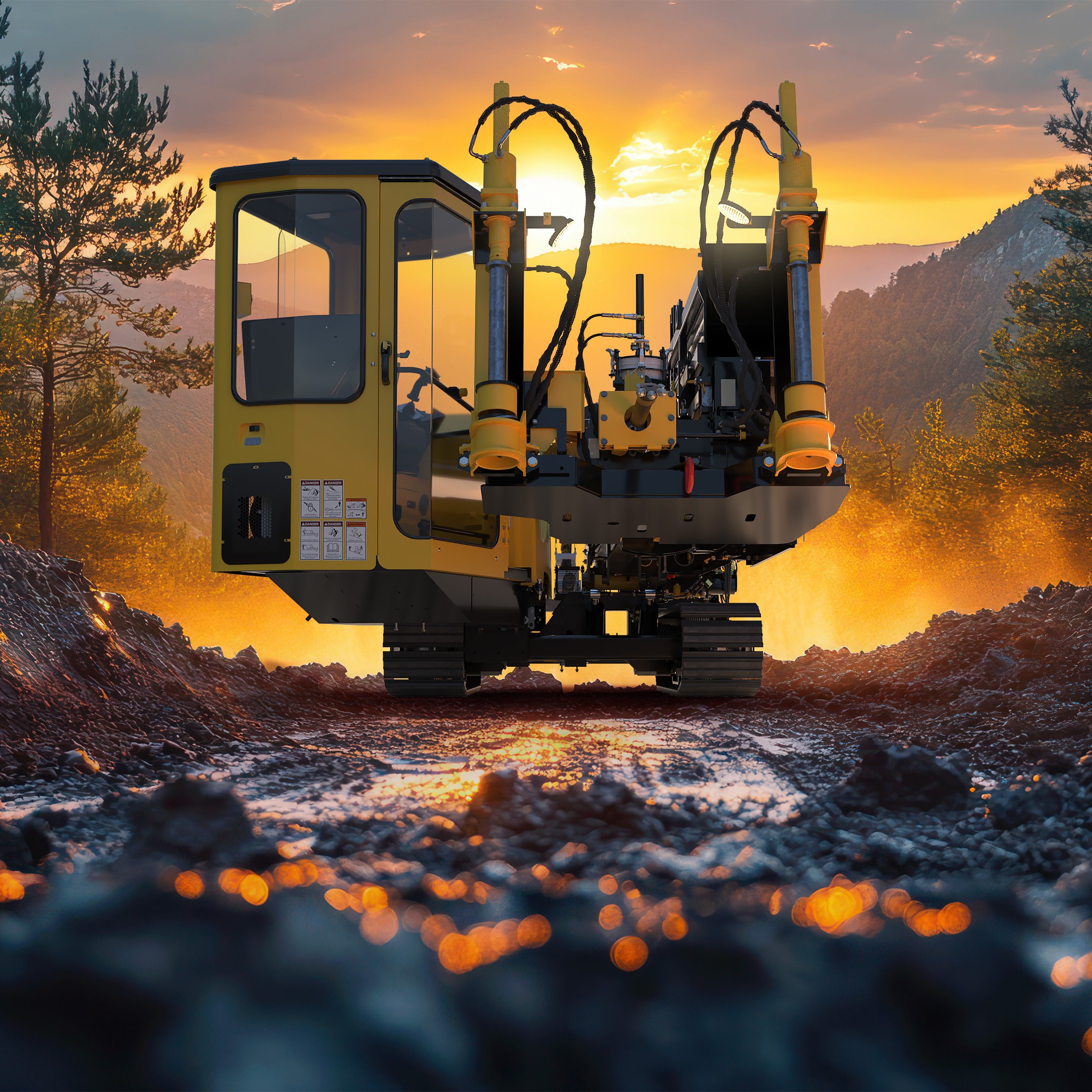
SOLIDWORKS 2026 is here, with the countless enhancements added to the portfolio each release, it’s hard to keep track and understand what the key standout improvements are.
Here are the best things about SOLIDWORKS 2026.
Cosmetic Changes for Rebuilds: Save time and be in control of rebuilds.
This enables you to increase performance and save time by skipping unnecessary rebuilds when you’ve only made cosmetic changes. There’s now a system option which puts you in control of rebuild requirements for nonessential (cosmetic) changes that don’t modify the parasolid geometry, such as sketches, reference geometry, hiding or showing bodies. You now can control when these rebuilds/updates happen.
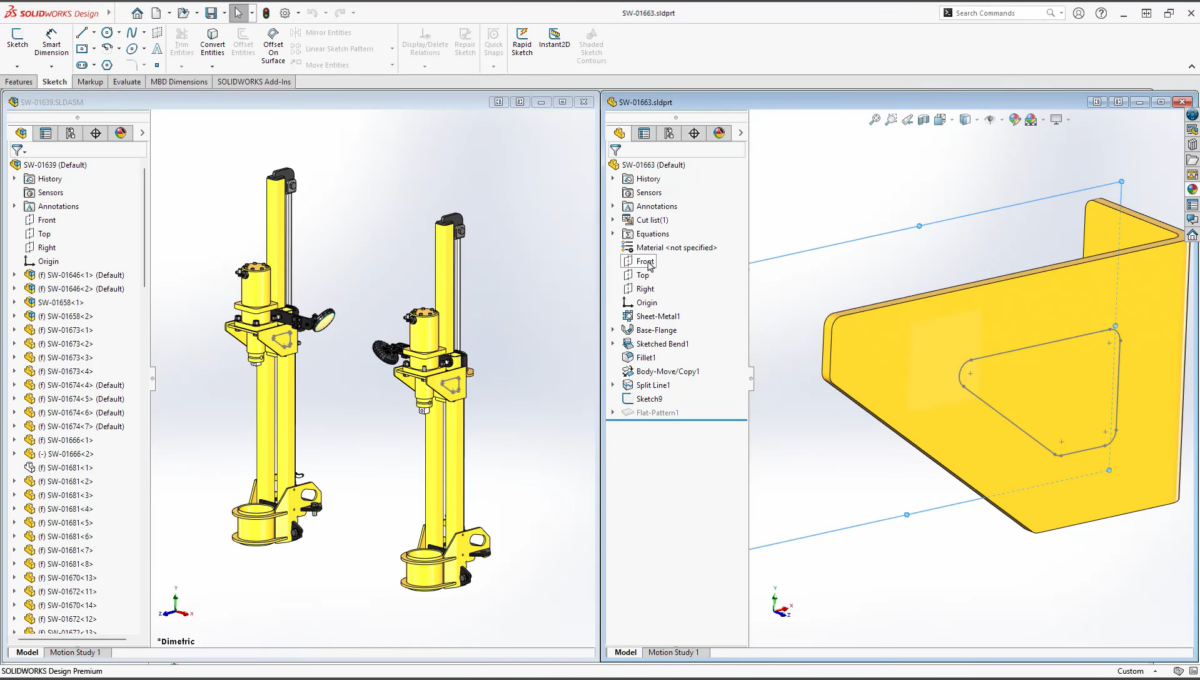
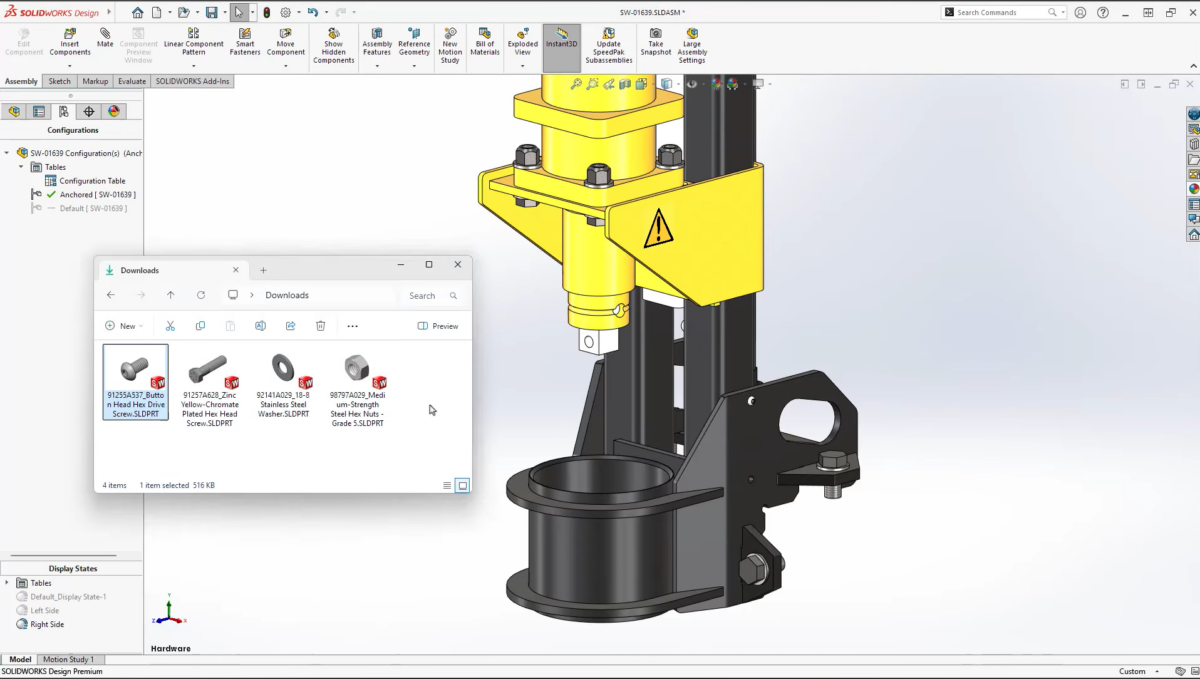
Fastener Automation with AI: Quickly and easily add components to assemblies.
SOLIDWORKS’ powerful AI is able to automatically recognize the geometry of components such as fasteners (nuts, bolts and washers), and properly position and mate them based on the geometry. This is a huge time saver for fasteners that is not limited to Toolbox components—it even works for non-native SOLIDWORKS files!
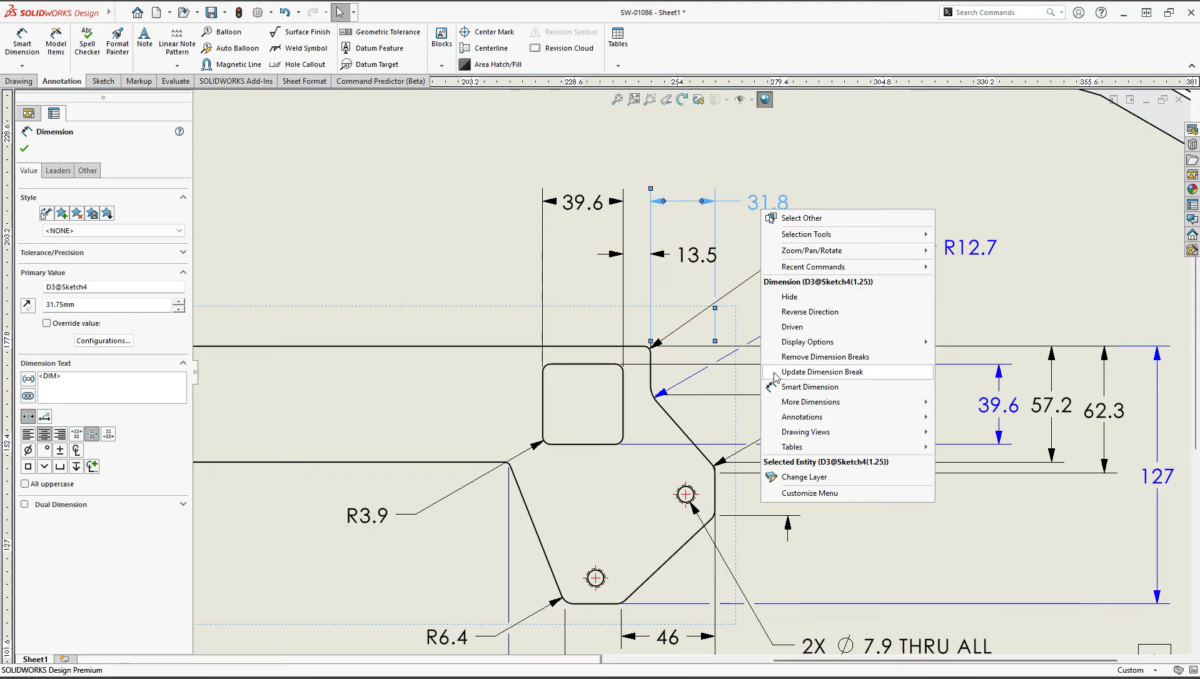
Break Dimension Lines: Add clarity to drawings.
In SOLIDWORKS 2026, these break the dimension lines around other annotations to clean up the clutter and add clarity to your 2D drawings. With just a right click on the annotation, you can add dimension breaks to make sure the dimension leaders neatly go around the dimensions to clean up the drawing.
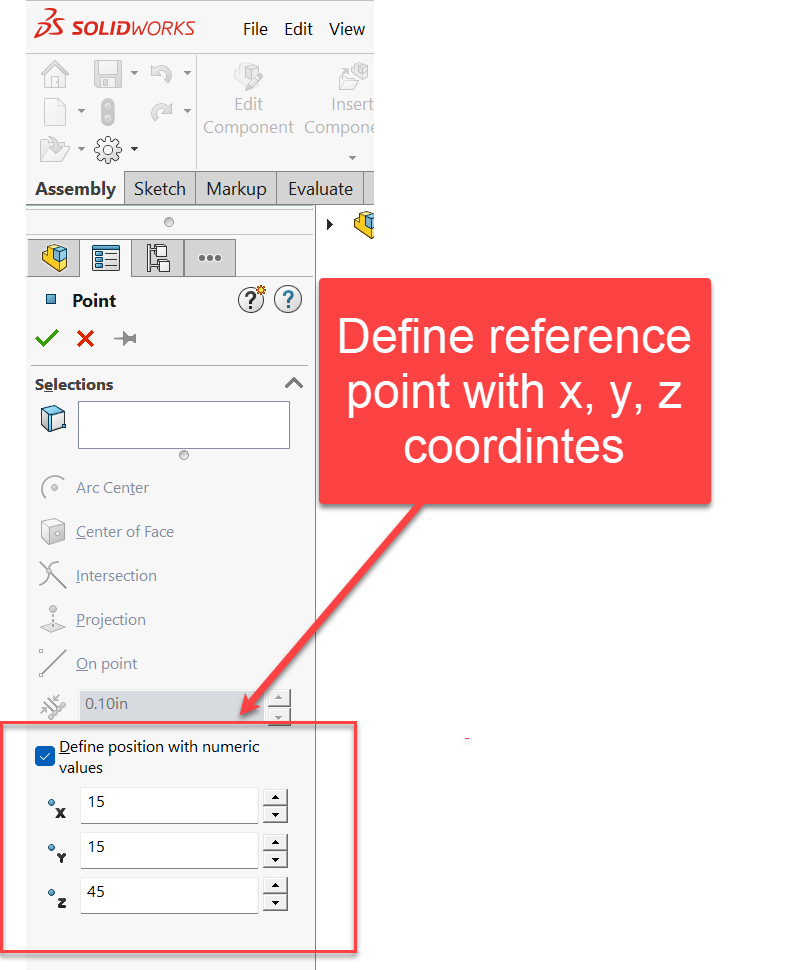
Reference Points: Define reference points with specific coordinates.
Gone are the days of adding reference points through the convoluted process of first creating a sketch point placed with dimensions, so you can then create a reference point at a specific x, y, z position.
Now in SOLIDWORKS 2026, you can define the position of reference points with numeric values.
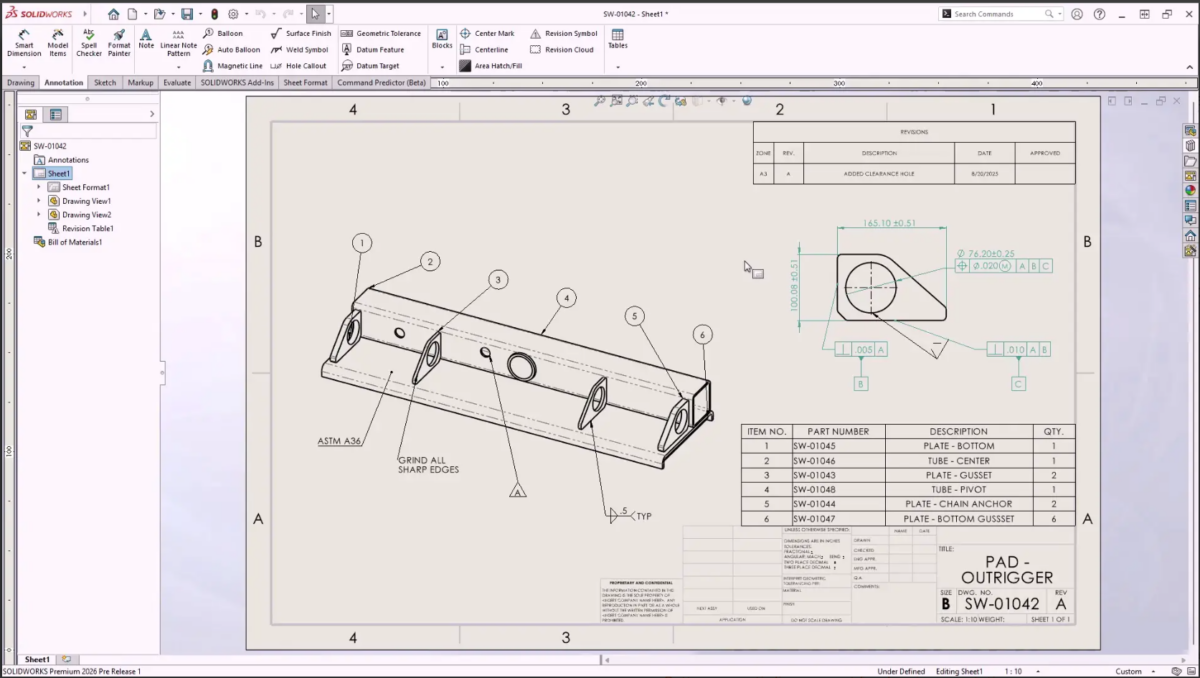
Developed Detailed Drawings
Technical drawings can be made clearer and more readable in SOLIDWORKS 2026 courtesy of key enhancements, improving clarity and minimizing manufacturing errors. Magnetic lines now support notes, weld symbols, revision symbols, and dimensions, in addition to balloons, making layout alignment easier.
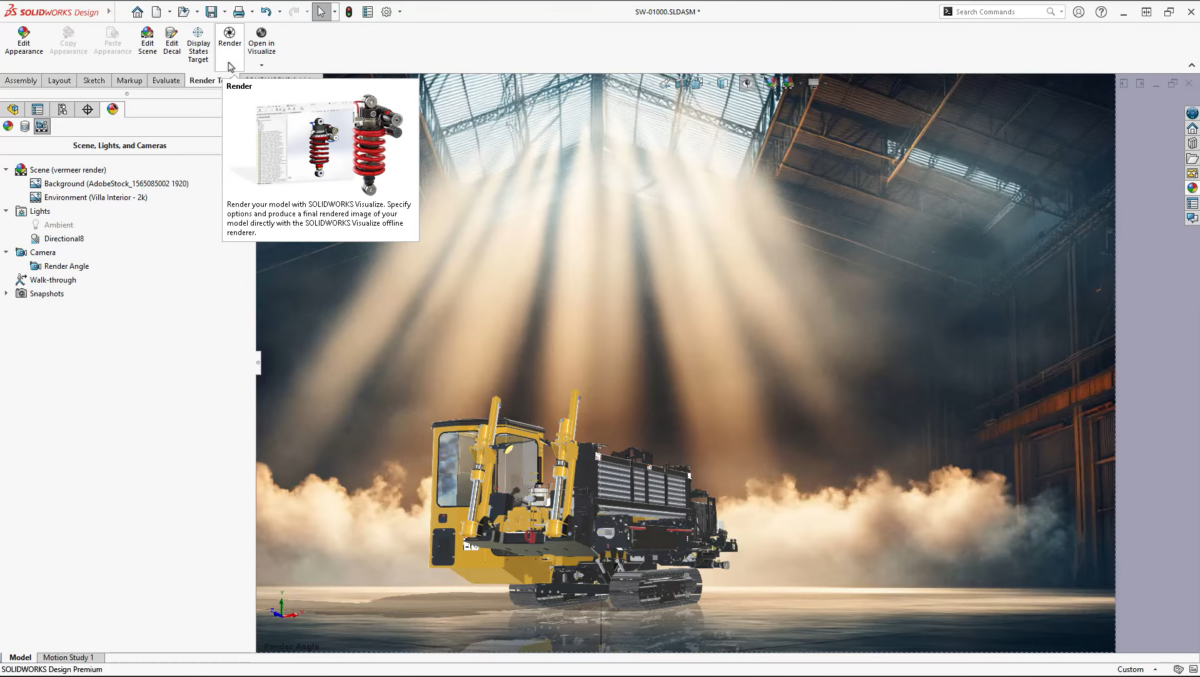
Photorealistic Renders in SOLIDWORKS: Integrated rendering with SOLIDWORKS Visualize.
With Photoview360 retired, SOLIDWORKS Visualize takes the place of an integrated rendering engine you can use to create photorealistic renders within SOLIDWORKS. The workflow is the same as you’re used to with Photoview360, but the results are much better. All you need is the Visualize add-in turned on, and you can leverage the SOLIDWORKS scenes, lights and appearances to create extraordinary renders of your designs.
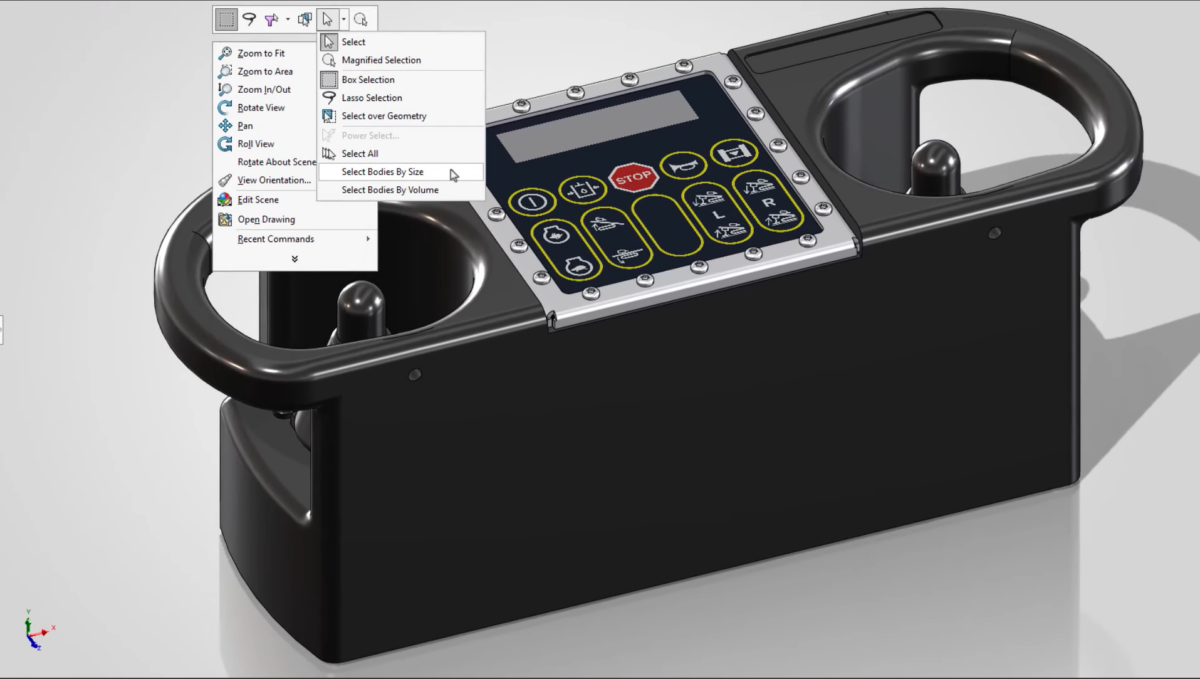
Filter by size and volume: Find and select bodies, fast.
You can quickly filter and select bodies based on size or volume using new selection filters in SOLIDWORKS 2026. It’s an extension of previous functionality to now include selection methods for parts.
Upgraded Part Modeling
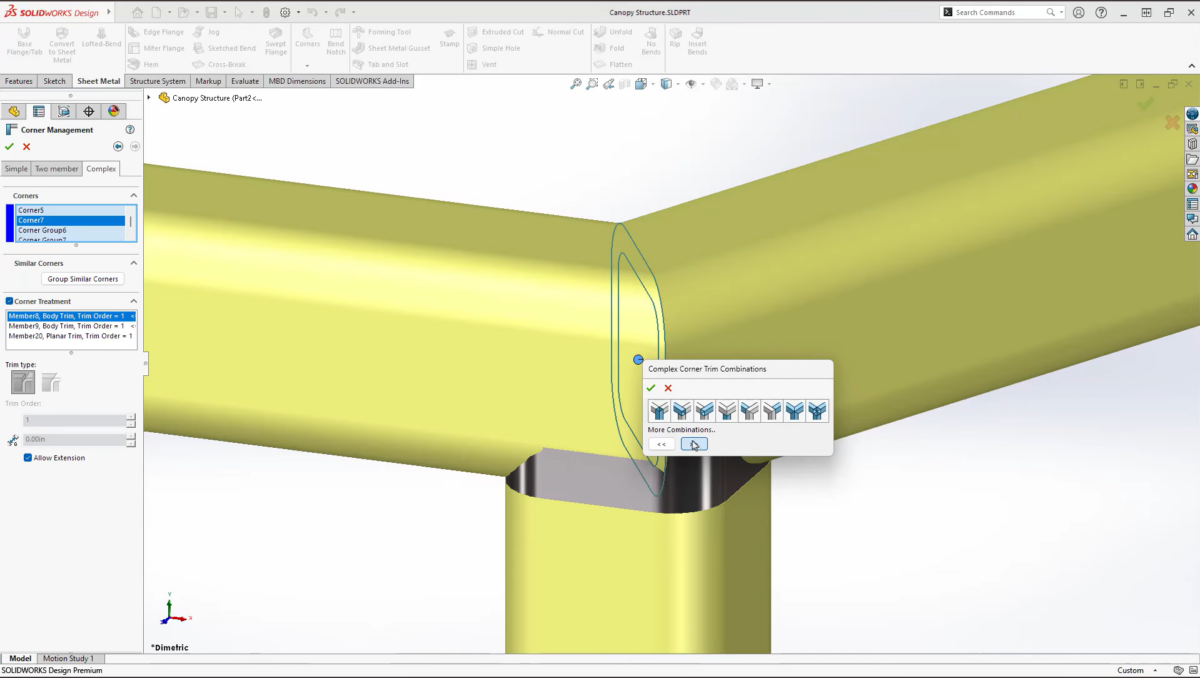
Part creation and modification are faster and more intuitive in SOLIDWORKS 2026. Sheet metal tools now support offset flanges and quick corner breaks, and we can at long last delete equations that cause errors after the sketch or feature has been deleted!
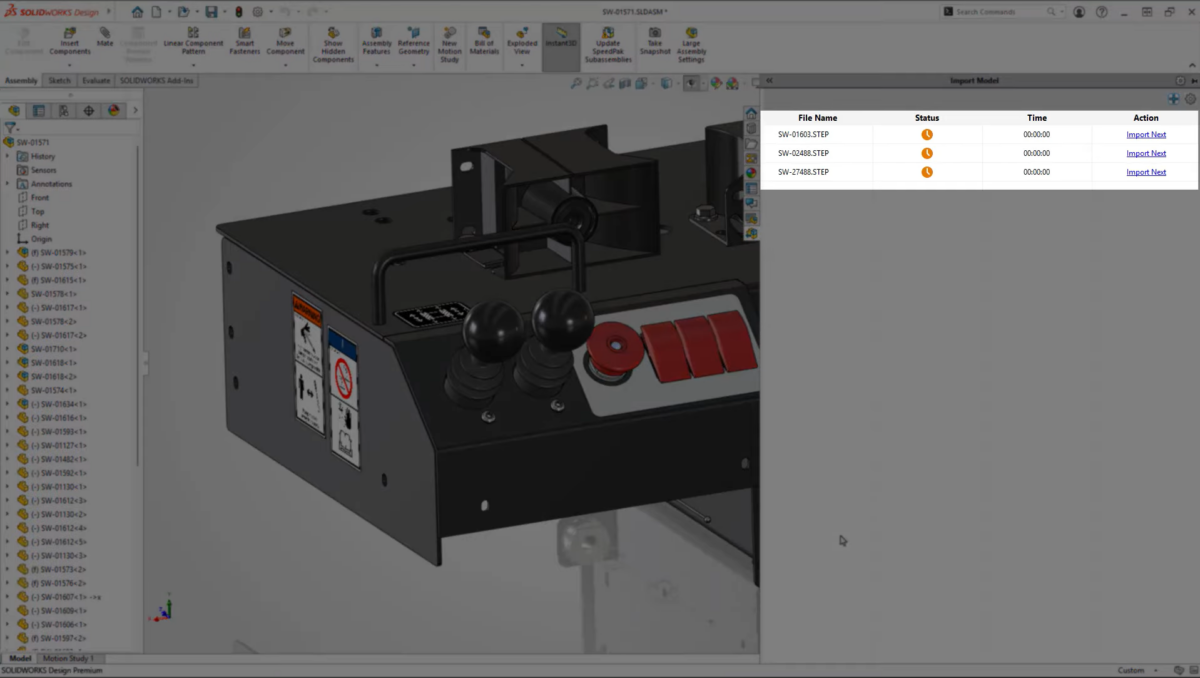
Background Import: Convert other CAD formats automatically, in bulk and in the background.
Via the task pane in SOLIDWORKS 2026, you can import neutral file formats (e.g. STEP) in bulk through the new background importer. This enables you to queue and process multiple files to import automatically without having to sit there and watch the proverbial paint dry because the files need to import before you can get to work.
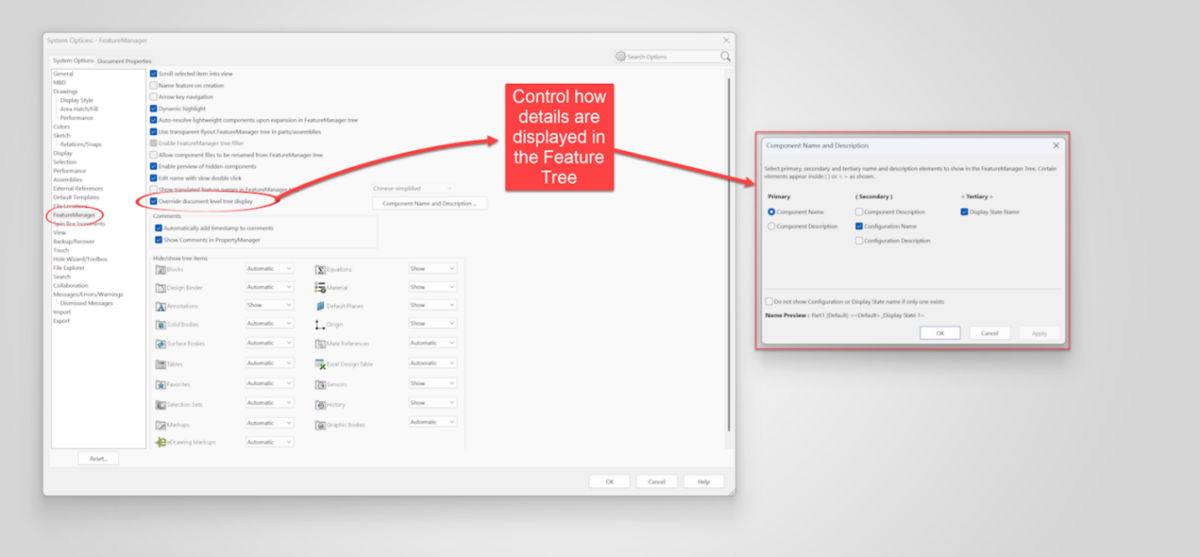
Tree Display System Option puts you in charge.
The Feature Manager Design Tree can get cluttered with details like component name, configuration name and display state name. This has previously been a Document property, but now you can control this at the System Option level, which puts you in charge of what information is shown in the tree.
It Doesn’t Stop At 10…
SOLIDWORKS 2026 represents a leap forward in CAD technology, blending performance, usability, and intelligence to meet the demands of modern engineering with countless updates across the SOLIDWORKS portfolio.
So whether you’re designing intricate assemblies or collaborating across disciplines, this release delivers tools that make your workflow faster and smarter.
